


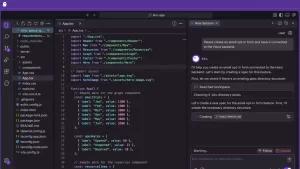
Cursor is an AI-powered code editor developed by Anysphere Inc. that significantly improves programming efficiency. It is based on VS Code (Visual Studio Code) and supports development by having an AI assistant complete and modify code, as well as reference documentation.
Anysphere Inc. announced that it has raised $105 million in Series B funding from Thrive, Andreessen Horowitz, Benchmark, and existing investors. (January 17, 2025)
In addition, it has also announced $8 million in financing from OpenAI in the past.

Key Features of Cursor
1. AI-powered code completion
During programming, AI predicts the “code to write next” and automatically suggests it. For example, if you write a function halfway through, the AI will guess and complement the rest of the code, reducing the hassle of manual input.
2. Code editing in natural language
You can tell them with natural language like “speed up this function,” and the AI will optimize your code. You can also simply say, “Fix the bug in this code,” and the AI will find and fix the problem.
3. Understanding the Codebase
The AI analyzes the entire project and presents relevant code and documentation. For example, if you ask, “Where is this function used?”, the AI will show you the relevant code.
4. AI Chat Like ChatGPT
Like ChatGPT, it has a chat feature that allows you to ask questions about code. You can ask questions about the meaning of the error message or how to use certain technologies, and the AI will answer them.
5. GitHub integration
By integrating with GitHub, AI can also help you review pull requests and analyze change history. This also ensures that team development runs smoothly.
Cursor Pricing Plans
Cursor has free and paid plans.
1. Hobby (Free)
- Content:
- 2-week trial of Pro plan
- 2,000 chord completions
- 50 delayed premium requests
2. Pro ($20 per month)
- In addition to the full features of the Hobby plan:
- Unlimited use of code completion
- 500 fast premium requests per month
- Unlimited use of delayed premium requests
- Use O1-mini 10 times a day
3. Business ($40 per user per month)
- In addition to the full features of the Pro plan:
- Enforce privacy mode across your organization
- Lump sum billing for teams
- Admin dashboard to see usage
- SAML/OIDC SSO support

Who is Cursor recommended for?
- Programming beginner
→ Reduce mistakes and facilitate learning with AI assistance - Engineers and Developers
→ Spend less time writing code and increase productivity - Team development
→ GitHub integration streamlines review work
How to install Cursor
- Visit the official website (cursor.com)
- Get installer for Windows, Mac, and Linux from the download page
- After installation, set up a GitHub or OpenAI API key to access AI features
Example of installing Windows
Example of Mac installation
For Language for AI, enter “Japanese” and select Continue.


Select any mode. Select Privacy Mode on the left if you want to allow data collection, or Privacy Mode on the right if you don’t want to allow data collection.


Select Login or Sign Up. Below is an example of signing up.


Set the language.
Select View→Command Palette→Configure Display Language→Japanese.

Note: The relationship between Cursor and VS Code (Visual Studio Code)
Cursor is an AI-powered code editor developed based on VS Code. Therefore, it uses the basic features of VS Code while adding powerful features such as AI-powered code completion, correction, and document reference.
Cursor is a fork of VS Code
- Cursor is an editor created by forking (deriving) Microsoft’s VS Code.
- Therefore, it has the same experience and UI as VS Code, and many VS Code extensions are also available.
- However, Cursor adds unique AI capabilities, offering advanced code generation and modifications that VS Code alone cannot achieve.
Difference Between Cursor and VS Code
| function | Cursor | VS Code |
|---|---|---|
| Base Editor | Forking VS Code | original |
| AI Complement | OpenAI API-based AI complement available | None (can be added with extensions) |
| Code Fixes | Contextual code modification is possible | None (Copilot etc. is required) |
| Extensions | Compatible with many VS Code extensions | Expandable from the official marketplace |
| GitHub integration | AI code review available | GitHub Basic Features and Integrations |
| price | Free and paid plans available (limited by AI features) | Completely free (some extensions are paid) |
Summary
Cursor is an AI code editor that streamlines programming, making it accessible to both beginners and advanced users. Especially for those who are used to the usability of VS Code, it is attractive that it can be implemented smoothly. You can use the power of AI to write code faster and more accurately, so give it a try!
References
Cursor
https://www.cursor.com
Cursor Blog
https://www.cursor.com/blog
anysphere.inc
https://anysphere.inc
Raising $8 million from OpenAI
https://anysphere.inc/blog/openai-fund
Cursor Document : Migrate from VS Code
https://docs.cursor.com/get-started/migrate-from-vscode
Cursor Document : Composer Developer’s Guide
https://docs.cursor.com/composer/overview




Comments