

OpenRouter.ai is a platform that serves as a “unified gateway” that allows for simple and efficient utilization of AI models. Below, we will explain how it works and in detail.

1. Overview of OpenRouter.ai
OpenRouter.ai is a service that allows you to manage and use multiple AI models in a unified manner. This reduces the complexity of using different AI providers and allows developers and businesses to easily switch between models through a single API interface.
- Examples of AI providers available:
- OpenAI (ChatGPT, GPT-4, etc.)
- Anthropic (Claude series)
- Google (such as Gemini)
- DeepSeek (R1, etc.)
- In addition, it can support the latest AI models
2. main function
Unified API
You can use models using OpenRouter.ai’s unified API without worrying about different API specifications for different AI providers. This allows developers to experiment with and switch between different providers of AI in a single codebase.
Authentication and Management
- OpenRouter.ai manages API keys and authentications for each provider in one place.
- Allow access restrictions and log tracking that can be used across the organization.
Comparison and selection of models
- You can compare the performance and cost of different models to choose the best model for your project.
- Easily test prompt and response optimization.
Cost Optimization
- Consider different pricing structures for different providers to choose a cost-effective model.
- It also provides the ability to use different models for specific workloads.
Open Source and Customization
- OpenRouter is built on open source, allowing for customization to meet your unique requirements.
- You can also use the public repositories on GitHub to host and improve yourself.
3. use case
Switching Testing Between AI Models
If you want to compare performance while switching between OpenAI’s GPT-4 and Anthropic’s Claude within a single project, you can use OpenRouter.ai to test your model without any code changes to the API.
Multi-model integration
Chatbots for customer support can be built to use low-cost models, which are usually cost-effective, and high-performance models for critical responses.
Leveraging multiple providers
If each provider has different strengths (e.g., Cohere’s embedded generation vs. OpenAI’s chat feature), build applications that take full advantage of each provider’s strengths.
4. Implementation Procedure
- Create an account: Create an account on the official OpenRouter.ai website.
- API Key Registration: Register API keys for each AI provider (OpenAI, Anthropic, etc.) on OpenRouter.ai.
- Project configuration: Build applications using a unified interface according to OpenRouter’s API documentation.
- Model Selection: Configure the model you want to use (e.g., GPT-4, Claude, etc.) on OpenRouter.
- Deploy: Deploy the service to production and switch providers as needed.
Implementation Procedure – Video Introduction
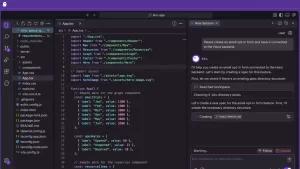
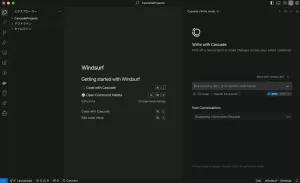
Here’s a brief explanation of how to code with Cline and Roo Code using DeepSeek AI’s R1 in Cursor, Windsurf, and VS Code.
Special Thanks to Mr. George!
How to Use DeepSeek AI’s R1 to Code in Cursor, Windsurf and VS Code via Cline and Roo Code(John George @askjohngeorge)
How to check model details and API fees
Select Models in the upper right corner to go to the Model search screen. You can specify conditions to see API prices and more.
Select “Models”

Search by specifying any search criteria

View model details

Open Router LLM Ranking
Open Router allows you to use a variety of LLMs, including DeepSeek R1, Claude 3.5, Gemini, GPT, Llama, and more.

5. Benefits and Use Cases
merit
- Easy integration: Learn a single API to access multiple providers.
- Flexibility: Easy model selection and prompt management.
- Cost Efficiency: Switch providers as needed to keep costs down.
- Scalability: Easily add new models as your application grows.
use case
- AI Chatbot Development: Response optimization by combining various AI models.
- Natural language processing research: Streamlining model performance comparisons.
- Cost-optimized AI services: Selecting models based on workloads.
6. Official Documentation and Resources
For more information on OpenRouter.ai’s features and how to use it, please refer to the official documentation.
- Official site: OpenRouter
https://openrouter.ai - GitHub repository: OpenRouter GitHub
https://github.com/OpenRouterTeam - API Documentation: API Documentation
https://openrouter.ai/docs - LLM Ranking
https://openrouter.ai/rankings?view=week




Comments